

Shopping
The Shopping API allows developers to build complete and scalable e-commerce experiences. It covers the full shopping journey — from product discovery and store navigation to cart management and order processing.
This documentation provides a conceptual overview, recommended integration flows, and links to the detailed API reference.
Typical Shopping Flow
Section titled “Typical Shopping Flow”- Load the Shopping homepage
- Search or browse products
- View product details
- Navigate to a store page
- Add products to the cart
- Create and manage orders
Each section below explains how the Shopping API supports these steps.
Homepage
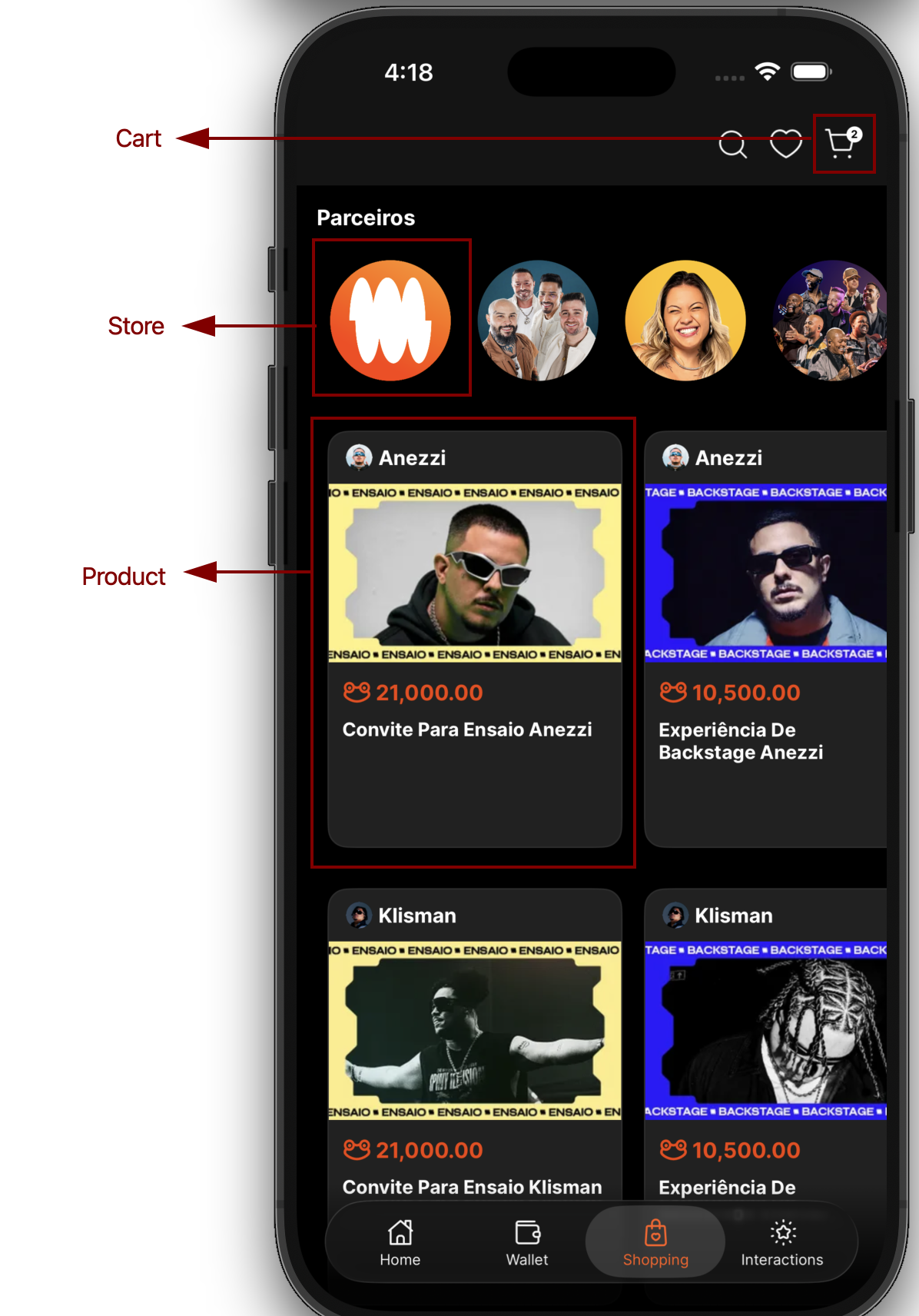
Section titled “Homepage”Retrieve curated shopping data used to render the main shopping experience. This endpoint is typically used as the entry point to the shopping journey.
Endpoint
Section titled “Endpoint”GET /v2/e-commerce/homepage/shoppingResponse
Section titled “Response”export type DynamicModel = DynamicSection[];Sections
Section titled “Sections”Each section groups related components and defines their layout.
export interface Section<T> { id?: string; title?: string; seeMoreRoute?: string; grid: 'horizontal' | 'vertical'; data?: T;}| Property | Description |
|---|---|
id | Unique section identifier |
title | Section title displayed in the UI |
seeMoreRoute | Optional route for “See more” navigation |
grid | Layout orientation (horizontal or vertical) |
data | Components rendered inside the section |
Dynamic Section
Section titled “Dynamic Section”A dynamic section is a section containing multiple components.
export type DynamicSection = Section<SectionComponent[]>;Base Component
Section titled “Base Component”Shared properties across all components.
interface SectionComponentBase { component: TypesComponent; route?: string; // Internal navigation url?: string; // External navigation}Button Component
Section titled “Button Component”Used for quick navigation or call-to-action elements.
export interface SectionButton extends SectionComponentBase { component: TypesComponent.button; icon: string; label?: string; color?: string; square?: boolean;}Common uses:
- Category shortcuts
- Promotional CTAs
- Entry points to key features
Banner Component
Section titled “Banner Component”Used for promotional or informational content.
export interface SectionBanner extends SectionComponentBase { component: TypesComponent.banner; title?: string; description?: string; color?: string; icon: string;}Common uses:
- Campaign highlights
- Feature announcements
- Seasonal promotions
Product Card Component
Section titled “Product Card Component”Represents a purchasable product displayed on the homepage.
export interface SectionProductCard extends SectionComponentBase { component: TypesComponent.product; description?: string; isShowcase?: boolean; id: string; name: string; image: string; enterprise: { id: string; name: string; icon: string; alias?: string; }; amount: { wibx: string; original?: string; second: { coin: string; value: string; }; }; rating?: number; liked: boolean; visibility?: { grayed: boolean; message: string; visible: boolean; };}Common uses:
- Featured products
- Store recommendation
- Personalized product lists
Component Union
Section titled “Component Union”export type SectionComponent = | SectionButton | SectionBanner | SectionProductCard;Component Types
Section titled “Component Types”export enum TypesComponent { button = 'button', banner = 'banner', product = 'product',}Product Search
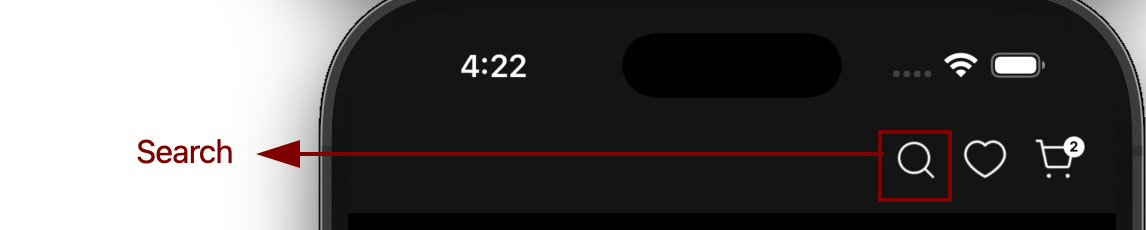
Section titled “Product Search”Search products globally or within a specific store using keywords and filters.
Endpoint
Section titled “Endpoint”GET /v2/e-commerce/products/searchQuery Parameters
Section titled “Query Parameters”| Parameter | Type | Required | Description |
|---|---|---|---|
term | string | ✅ Yes | Search keyword or phrase |
enterpriseId | string | ❌ No | Restrict results to a specific store |
limit | number | ❌ No | Maximum number of items returned |
offset | number | ❌ No | Pagination offset for result navigation |
Common use cases
Section titled “Common use cases”- Global search bar
- Store-specific product listings
- Infinite scrolling or paginated catalogs
Product Details
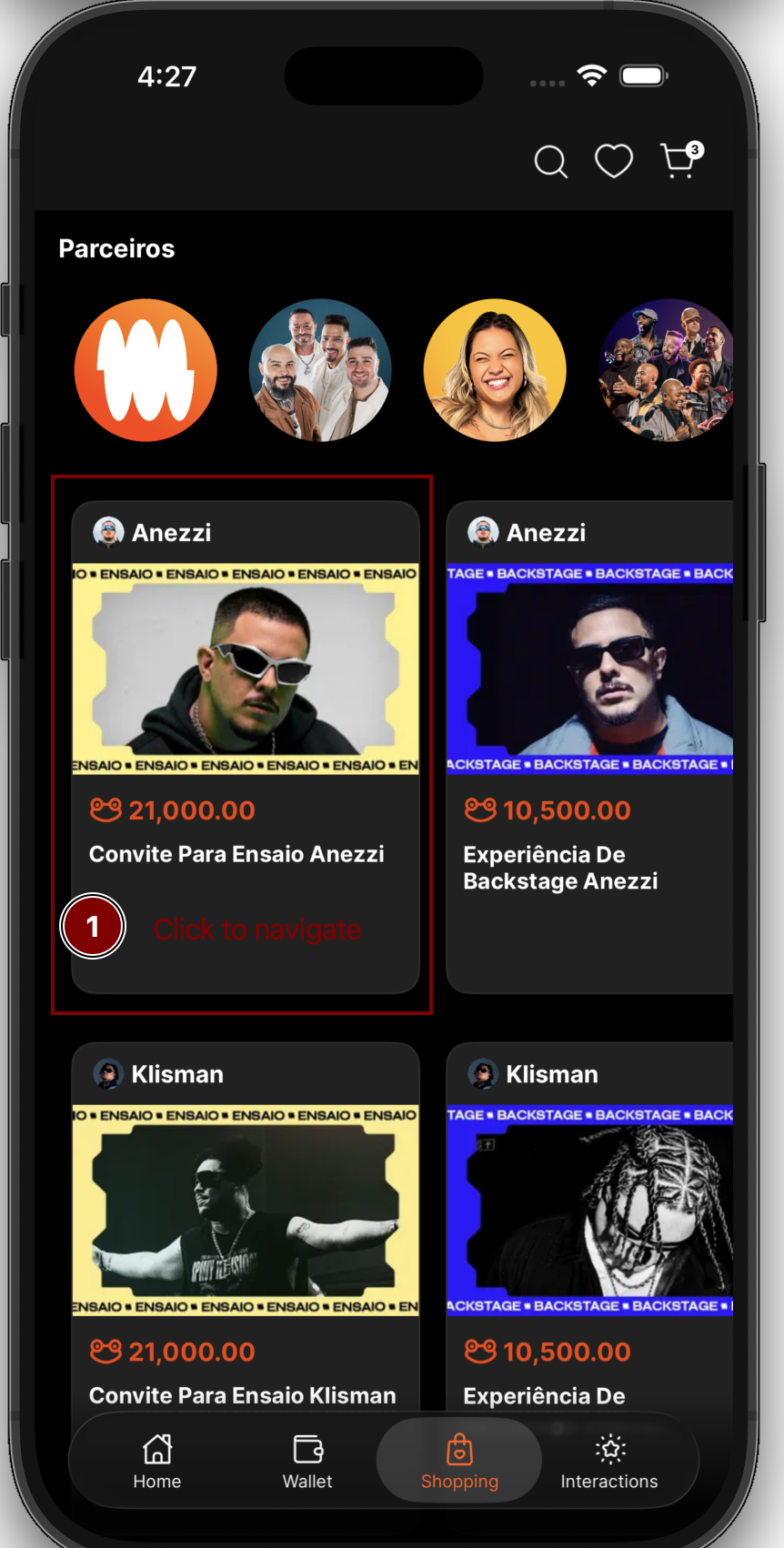
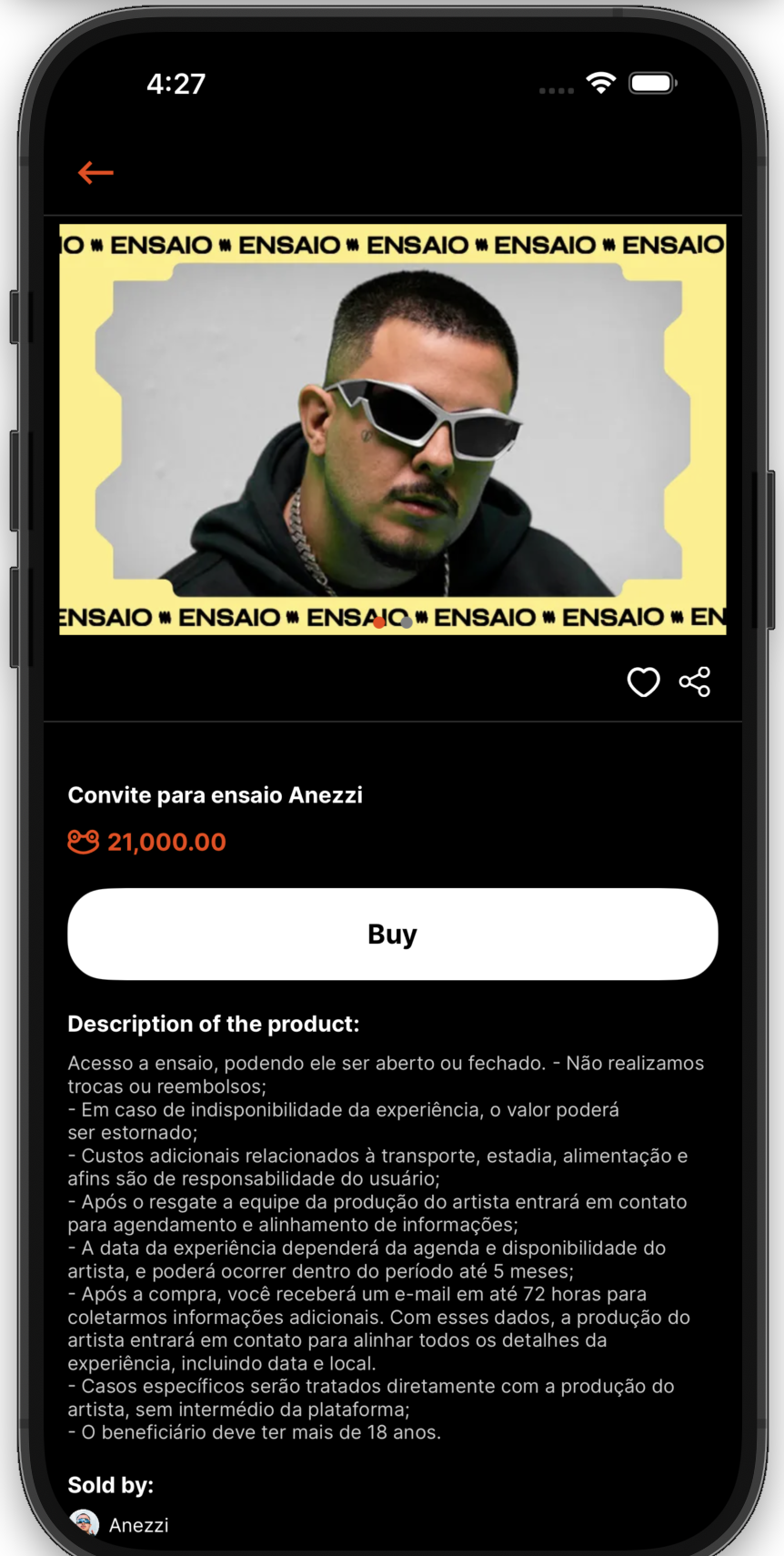
Section titled “Product Details”Retrieve detailed information about a specific product, including pricing, availability, and additional metadata.
Endpoint
Section titled “Endpoint”GET /v2/e-commerce/products/{enterpriseId}/{id}Internal Route
Section titled “Internal Route”/shopping/product/{storeId}/{productId}Path Parameters
Section titled “Path Parameters”| Parameter | Description |
|---|---|
enterpriseId | Store or enterprise ID |
id | Product identifier |
Common use cases
Section titled “Common use cases”- Product detail pages
- Product comparison views
- Add-to-cart flows
Store Homepage
Section titled “Store Homepage”Retrieve store-specific homepage data to build a branded storefront experience.
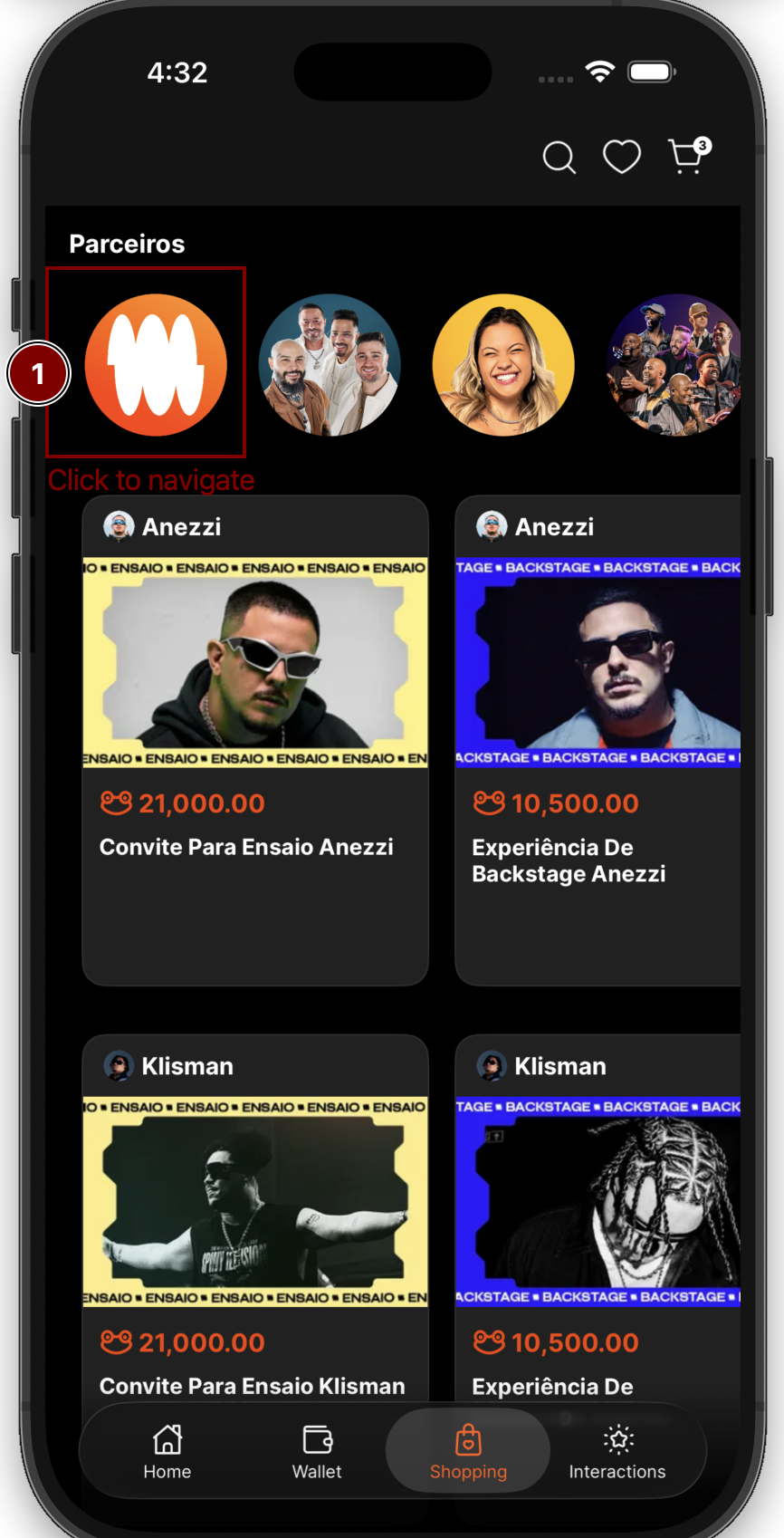
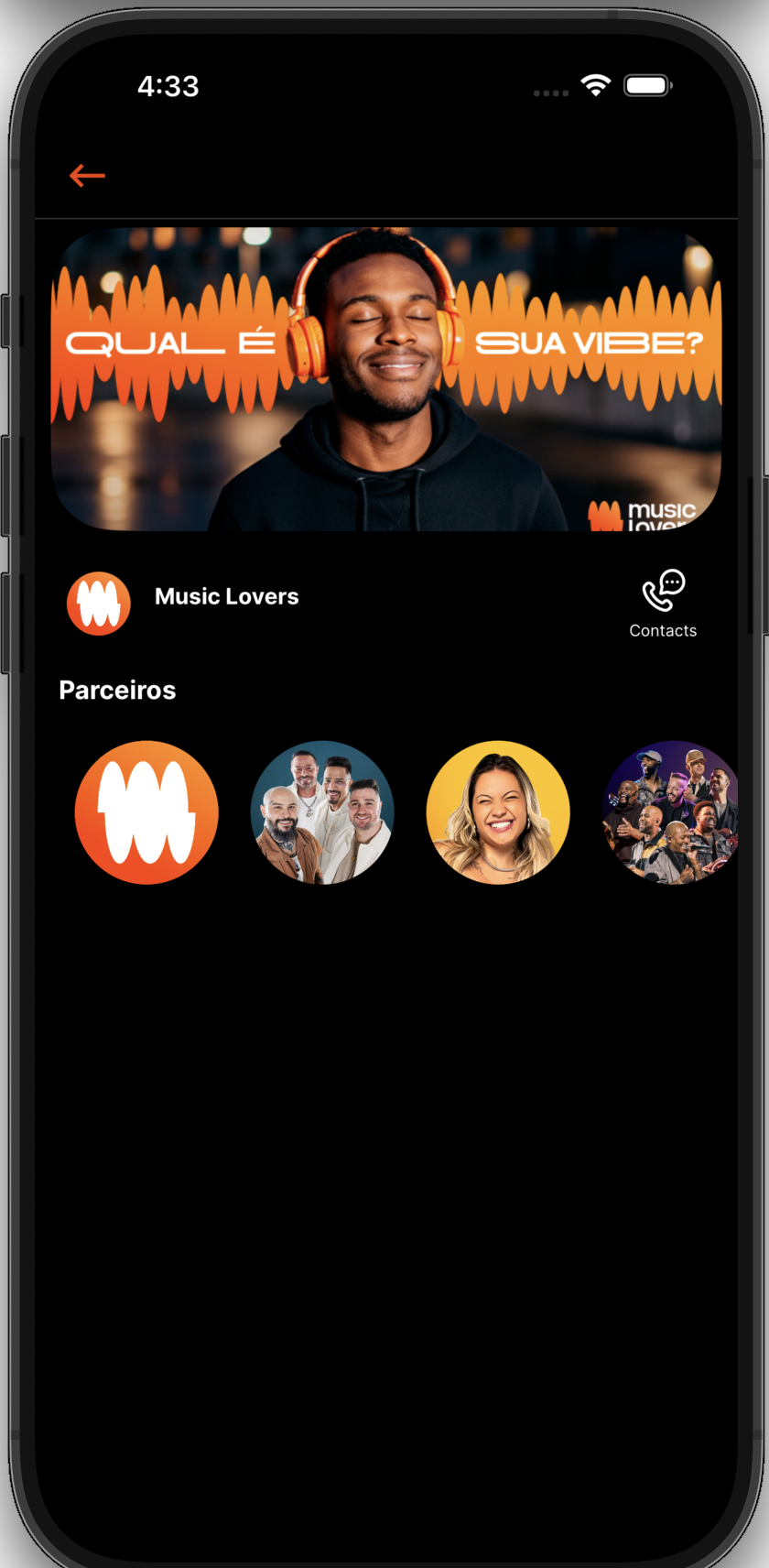
Endpoint
Section titled “Endpoint”GET /v2/e-commerce/homepage/store/{storeId}Internal Route
Section titled “Internal Route”/shopping/store/{storeId}Common use cases
Section titled “Common use cases”- Brand landing pages
- Enterprise-specific catalogs
- Dedicated store experiences
Manage the full lifecycle of a user’s shopping cart. The cart persists selected products and allows quantity updates before checkout.
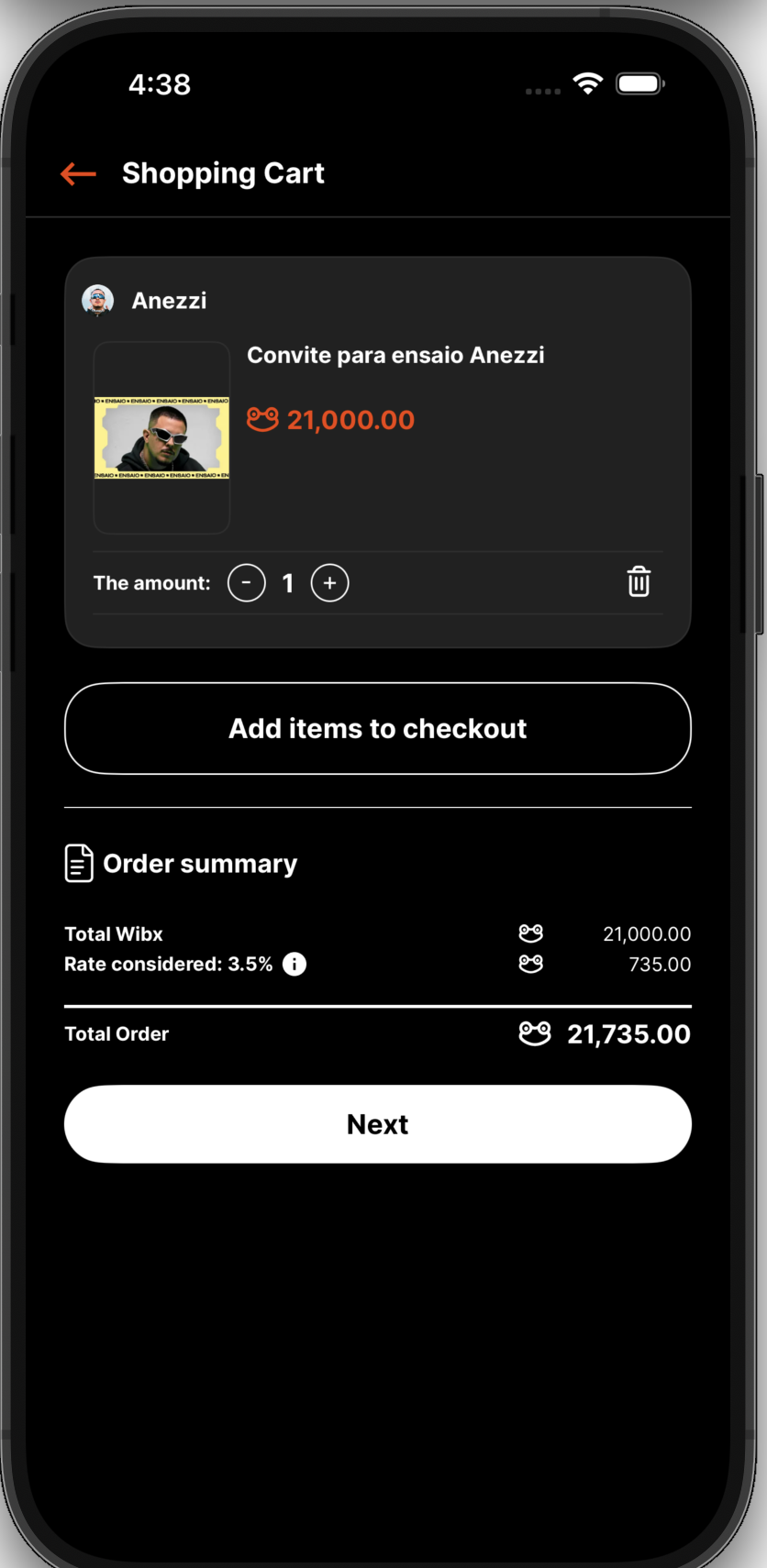
Available Endpoints
Section titled “Available Endpoints”GET /v3/e-commerce/cart - Retrieve current cart contentsPOST /v3/e-commerce/cart - Add an item to the cartPUT /v3/e-commerce/cart - Update item quantitiesDELETE /v3/e-commerce/cart - Remove all items from the cartCommon use cases
Section titled “Common use cases”- Shopping cart screens
- Quantity adjustments
- Cart cleanup or reset flows
Orders
Section titled “Orders”Create and manage customer orders after the checkout process.
Create Purchase Order
Section titled “Create Purchase Order”POST /v3/e-commerce/ordersUsed to finalize a cart and create an order.
Retrieve Orders
Section titled “Retrieve Orders”GET /v2/e-commerce/ordersUsed to display order history and order details.
Confirm Withdrawal
Section titled “Confirm Withdrawal”POST /v3/e-commerce/orders/withdrawalUsed to confirm product pickup or withdrawal, when applicable.
Common use cases
Section titled “Common use cases”- Checkout and payment confirmation
- Order history pages
- Fulfillment and pickup workflows